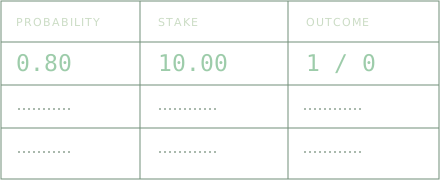
One row per decision
The Excel workbook includes a 500-entry decision log, an overview of your results, calibration charts and separate worked examples. Enter forecasts, stakes, costs and outcomes in the green cells. Formulas calculate expected net return, realized net return and Brier score; dropdowns and validation help keep the inputs consistent.
Compare forecasts with outcomes
The calibration tab groups completed forecasts into probability bands and plots their mean forecast against observed win frequency. Each band shows its sample count. Pending outcomes stay blank and are excluded from scored results. Worked examples never enter your summaries.
Keep the assumptions attached
Use probabilities between 0 and 1. Decimal gross return includes returned stake. Choose Win or Loss from the outcome dropdown; leave it blank until settled. The formulas assume a fixed winning return and no payout on a loss. Record refunds, partial returns and shared prizes separately.
The worksheet records a stake you choose. It does not prescribe a stake size. Use the workbook in Excel or another XLSX-compatible spreadsheet with automatic calculation enabled. Brier score measures overall probability error; a single result does not establish calibration.
Read the expected-value explainer ↗